Installation#
The toolbox can be added to a MATLAB® and Simulink® installation in two ways. Either by using the built-in add-on manager (recommended) or by manual installation.
Add-On Installation (recommended)#
Installing the toolbox as an add-on is the recommended way of using the toolbox and can be done in two valid ways. Either directly by using the Add-On Explorer panel in MATLAB® or by using an add-on installation file.
Add-On Explorer#
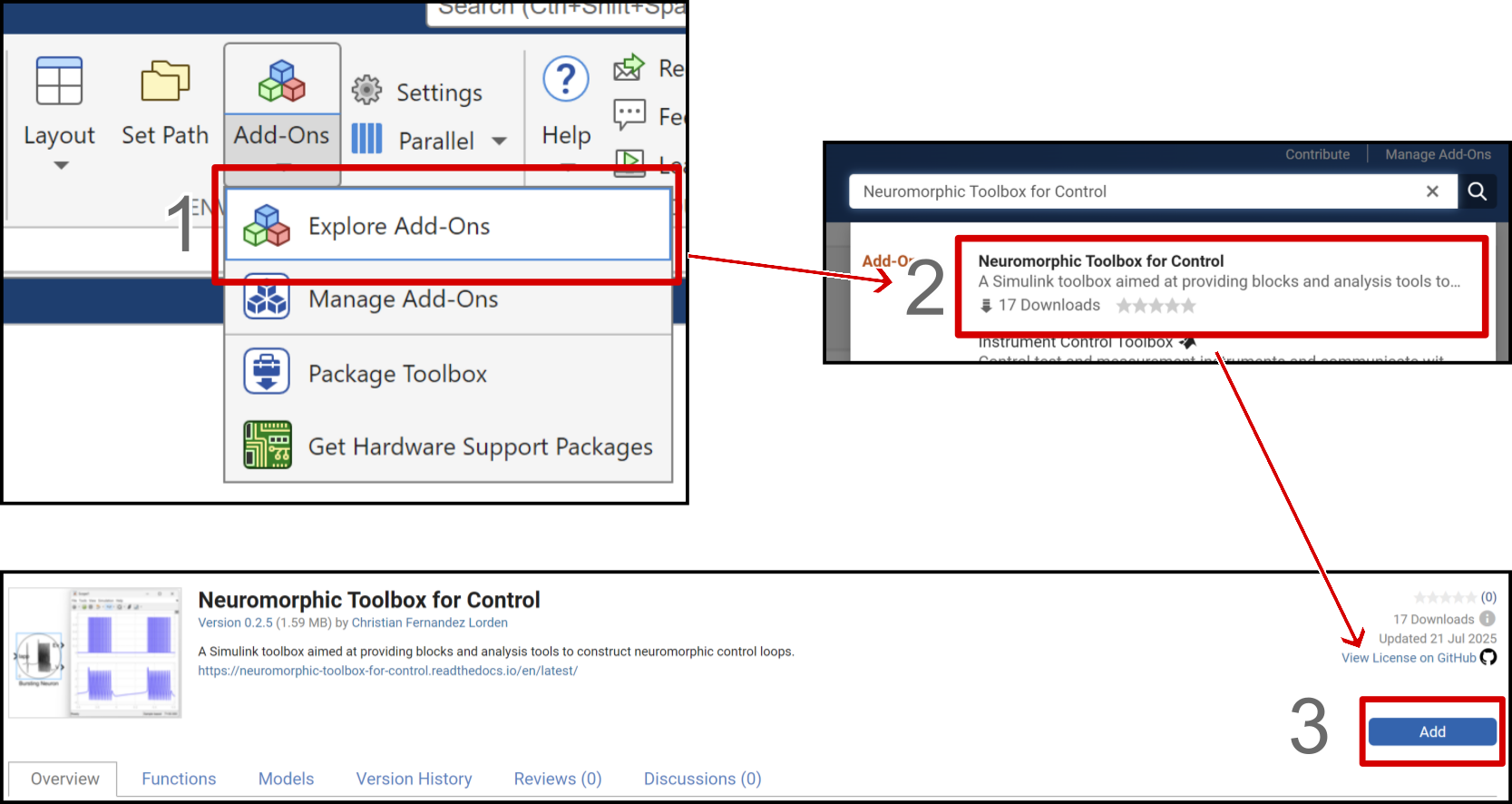
Installing the toolbox in MATLAB® and Simulink® using the integrated Add-On Explorer is done by the following procedure :
Open the Add-On Explorer window.
Type NeuroCont in the search bar and click on the toolbox.
On the toolbox page, click on the Add button.
Toolbox Installation File#
Installing the toolbox by using the add-on installation file requires downloading the NeuroCont.mltbx file from GitHub in the realease asset or MathWorks® File Exchange using the toolbox download button.
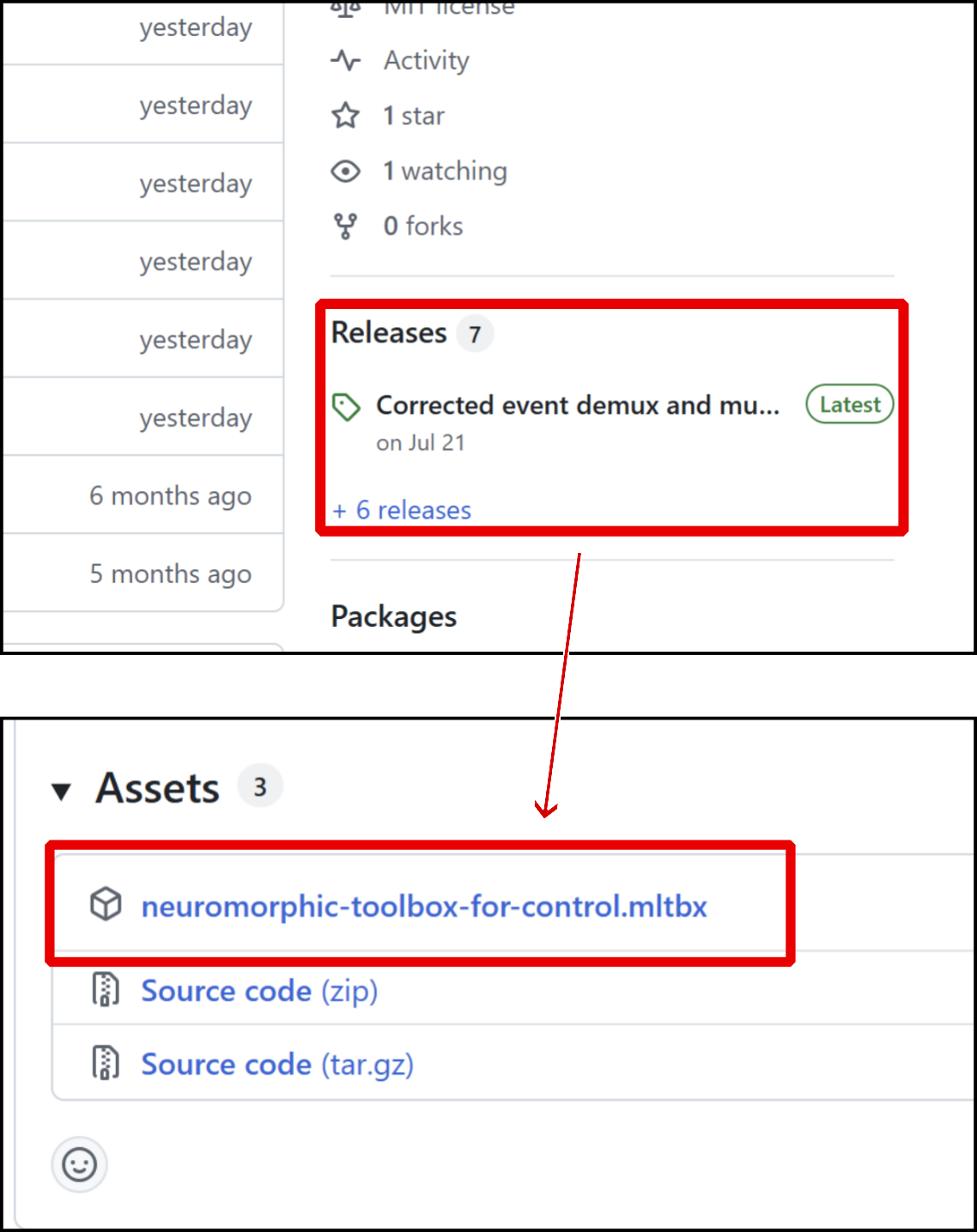
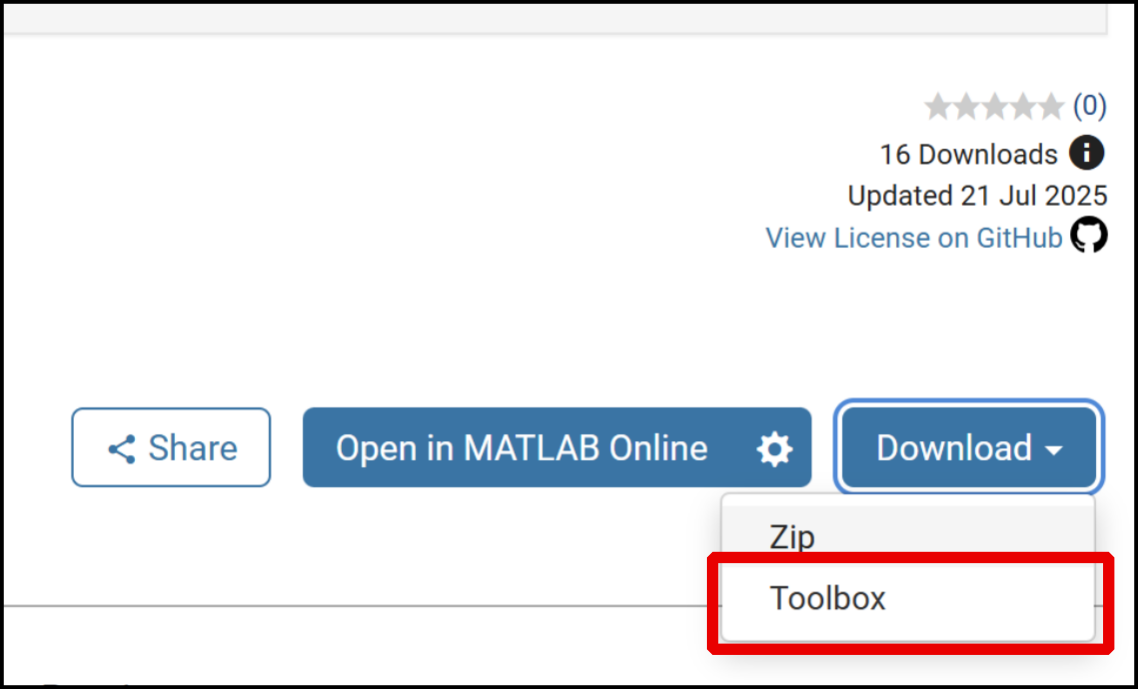
Then double clicking the add-on installation file will launch the installation process.
Or, alternatively, the add-on can be installed from the MATLAB® Command Window with the following command :
matlab.addons.install("NeuroCont.mltbx")
Note
Older version of the toolbox can be downloaded by searching earlier releases in GitHub or by going to the Version History tab on the toolbox MathWorks® File Exchange page (online or in the Add-On Explorer).
Manual Installation#
Doing a manual installation of the toolbox is not recommended except if you plan to modify the toolbox for your application. In that case it becomes the best option. This method will also download useless files for the toolbox such as this documentation, they can be removed without impacting the toolbox operations.
A manual installation requires downloading the source code from GitHub by cloning it or downloading the zip or MathWorks® File Exchange using the zip download button.
Then unpack the source code and place the directories blocks, code and icons as well as their subdirectories in the MATLAB® path.
Alternatively, you can repackage the toolbox into a .mltbx file using the toolbox project file toolbox_package/neuromorphic-toolbox-for-control.prj, and install it according to Toolbox Installation File.